
Measure Search Generative AI Visibility with New Search Console Insights
Reading Time: ~5 Mins | Written By: Jason Serafica & Daniela Sartori

Have you checked your Google Search Console lately? On June 3, 2026, Google launched the new Generative AI performance report for Search and Discover. This is a brand‑new section in Search Console built specifically to show how your site appears inside AI‑powered search experiences.
As AI becomes increasingly embedded in search and everyday work, understanding these new visibility signals is part of a broader conversation around AI adoption and workforce readiness. Darian Kovacs, founder of Jelly Academy, explores this shift in his recent article, AI Adoption Won’t Fix Canada’s Productivity Problem Without Workforce Readiness.
What is the new Search Generative AI report?
The Search Generative AI report is separate from the classic Performance report. It focuses on:
AI Overviews and AI Mode in AI search results
AI generative features in Discover
For the first time, site owners can see how often their pages appear inside AI Overviews and AI Mode directly from Google, instead of guessing.
How to Access the Search Generative AI report?
Here’s a quick step‑by‑step:
Sign in to Google Search Console and select your property
In the left navigation, go to Performance
Click the new Generative AI tab/report
Use the dimension filters to break down the data by:
Pages
Countries
Devices
Dates
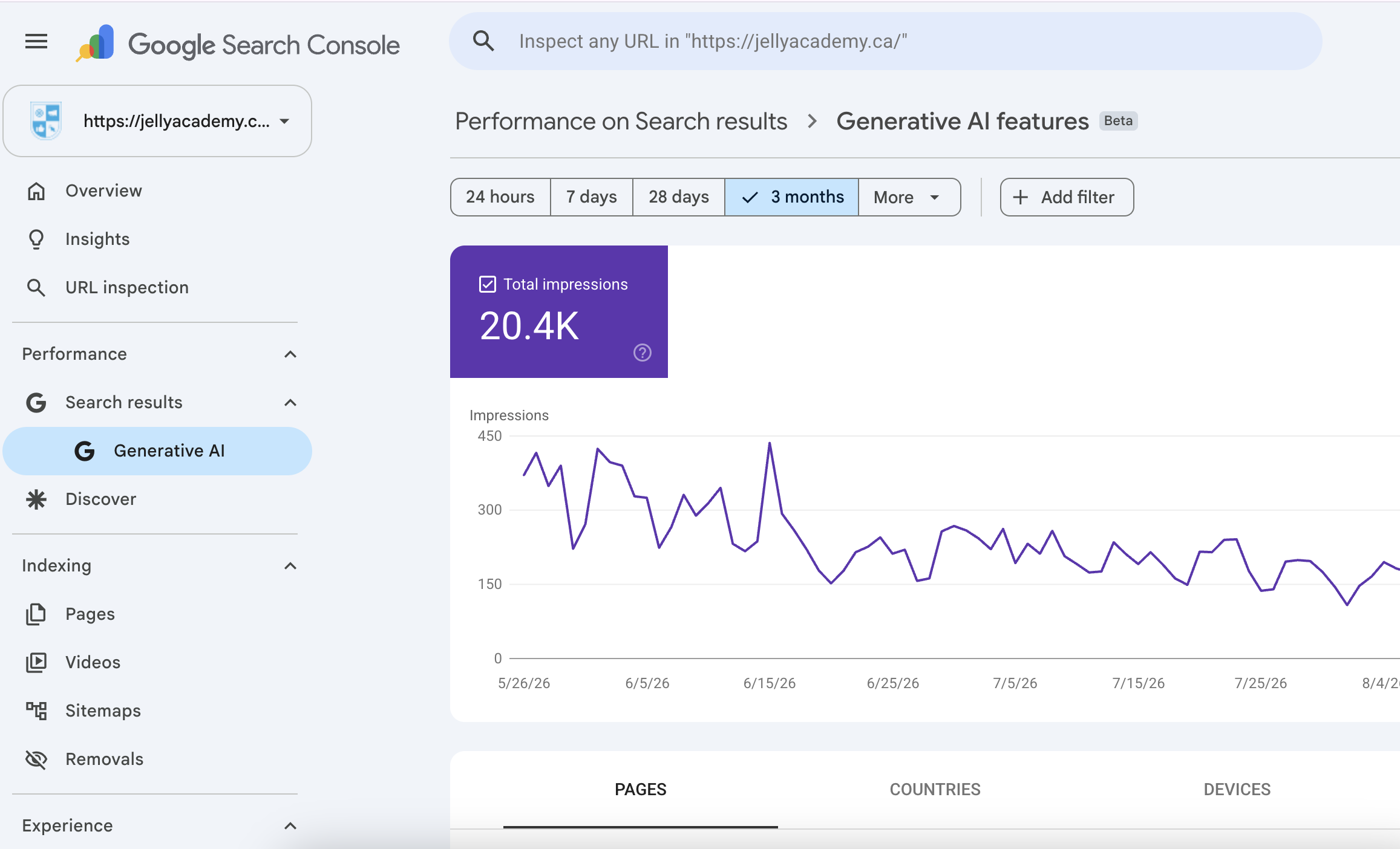
What Does the New Report Measure?
Right now, it’s an impressions‑only report: it shows which links appeared in AI features and where.
Key dimensions available:
Impressions: how often your URLs were shown in AI features
Pages: which specific URLs appeared
Countries: where those impressions happened
Devices: desktop vs mobile
Dates: which day those impressions occurred
What’s not included (yet):
Clicks
CTR
Average position
Query‑level data
How To Read the Report
Google defines impressions as: “How many times links to your site were shown to a user in a generative AI feature on Google Search”. However, the way impressions are counted is different from traditional search:
In AI Overviews, a link only counts as an impression if the user scrolls or expands the section enough to actually see it
In AI Mode, each follow-up question is treated like a new search, so links shown in each new answer can create more impressions.
Bottom Line
Treat AI impressions as a separate visibility signal, not a direct replacement for traditional search impressions. Use this report to see which pages Google chooses to surface in AI results and compare that to how those same pages perform in normal search and other channels.